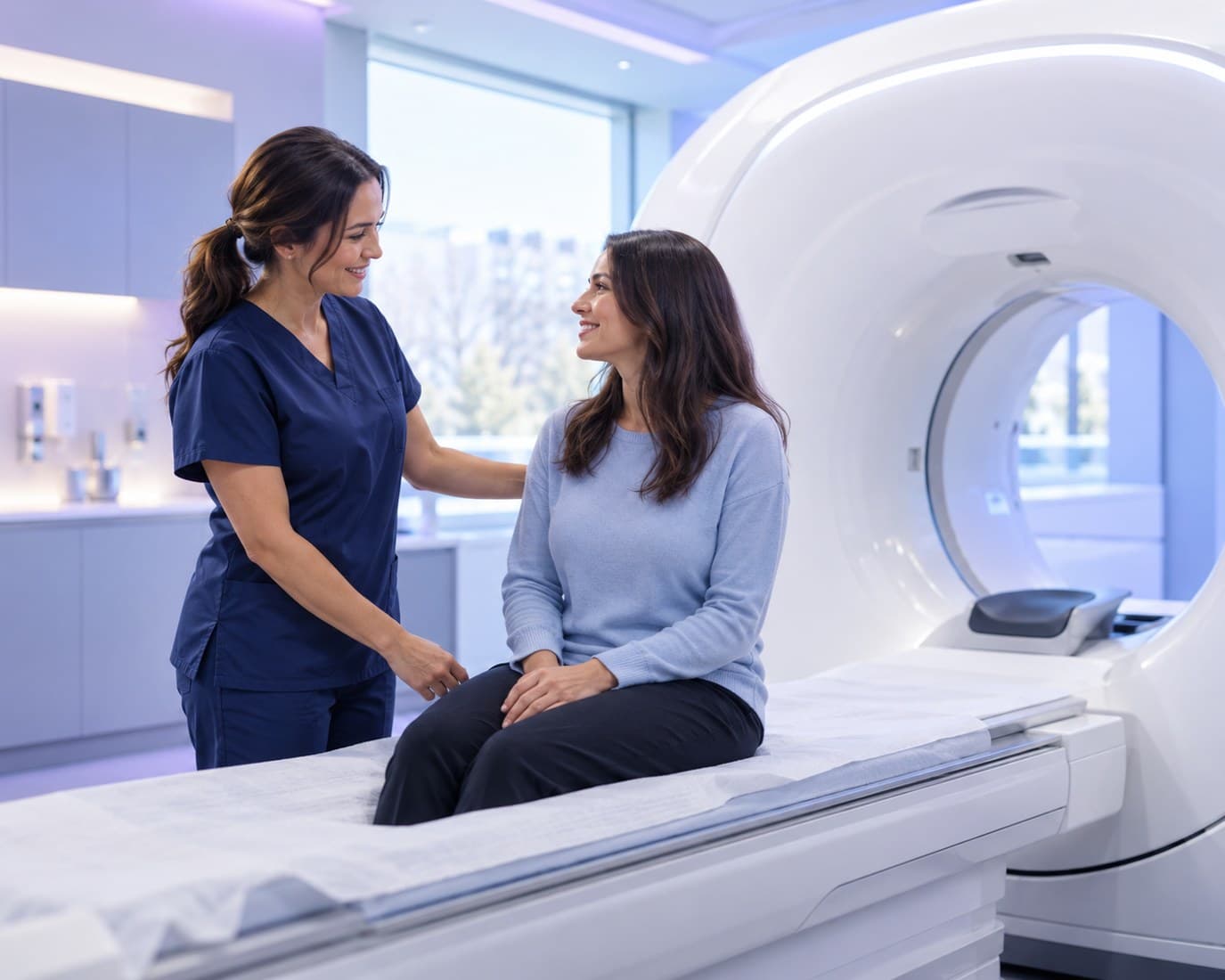
AI automation for radiology that keeps imaging workflows moving.
Custom AI automation for imaging groups, from the fax queue to the schedule to the credentialing file, built around your RIS/PACS, clearinghouse, and phone system.
MORE TIME FOR THE PERSON. LESS TIME ON THE PROCESS.
FROM ORDER TO NEXT STEPImaging order receivedExam · provider · insurance
Ready for the next stepIntake → coverage → scheduling
Built around your imaging workflow.
MRI & CTBreast imagingPET/CTUltrasound & X-ray
LESS ADMIN. MORE PATIENT FOCUS.
Your team delivers the care. SimZ automates the administrative work around each exam—not diagnostic image interpretation.
01RADIOLOGY WORKFLOW SOLUTIONS
Radiology AI workflows. From intake to follow-up.
Connect radiology patient access and revenue cycle work: capture the order, check coverage, prepare authorization, coordinate the exam, and track payer follow-up. Start with the workflow your team needs most.
01 / TURN ORDERS INTO ACTION
Radiology referral & imaging order intake.
SimZ automates radiology referral intake from faxes, PDFs, and e-referrals. Extract patient, ordering-provider, requested-exam, and insurance details; check for duplicates; and route missing or uncertain information to your intake team.
Match incoming imaging orders to the patient and requested exam.
Follow up on missing records through your approved process.
Route structured orders and supporting documents to the next workflow.
ORDER INTAKE
Patient & referring providerExtracted
Requested examMRI / lumbar spine
Insurance detailsCaptured
Supporting documentationReview if incomplete
ILLUSTRATIVE EXAMPLE / NOT LIVE DATA
02 / BEFORE THE EXAM
Radiology prior authorization for MRI, CT & PET/CT.
SimZ prepares and tracks imaging prior authorization requests using your configured payer, plan, and exam requirements. Assemble the order and supporting records for staff review, then track payer responses, missing information, and approval dates.
Check configured requirements for the requested exam and CPT code.
Require staff review and approval before each submission.
Track requests for more information and expiring authorizations.
Check insurance coverage before the imaging appointment. SimZ retrieves available eligibility and benefit details through connected clearinghouse and payer workflows, including deductibles, copays, and coinsurance. Unclear responses go to staff for follow-up.
Capture available coverage and benefits in the imaging-order workflow.
Re-check when insurance or appointment details change.
Keep eligibility verification separate from prior authorization approval.
PRE-VISIT VERIFICATION
Coverage responseActive in example
Benefits detailCaptured when available
Coverage changed?Re-check triggered
Unclear responseStaff follow-up
ILLUSTRATIVE EXAMPLE / NOT LIVE DATA
04 / A CLEAR ANSWER. A NEXT STEP.
An AI receptionist for radiology patient access.
SimZ Conversational provides AI voice and chat for imaging-center front desks. Handle patient and referring-office requests during business hours, after hours, and peak demand. Collect order and insurance details, coordinate appointments, and route clinical questions to staff.
Answer using your approved locations and exam-preparation information.
Book, transfer, or arrange follow-up through your configured workflow.
Pass clinical questions and exam-result discussions to your team.
PATIENT ACCESS
Caller requestSchedule my MRI
Order detailsLocated
Next stepBook or warm-transfer
Clinical questionRoute to staff
ILLUSTRATIVE EXAMPLE / NOT LIVE DATA
05 / KEEP THE SCHEDULE MOVING
Radiology scheduling, reminders & recall.
Automate patient outreach around imaging appointments: confirm exams, send approved preparation reminders, follow up on cancellations and no-shows, and work waitlists. Reconnect with patients who still need to schedule or return using your team’s recall rules.
Reach patients by text, email, and AI voice.
Offer openings using your exam, location, and scheduling rules.
Work mammography and follow-up recall lists set by your team.
SCHEDULING FOLLOW-UP
Upcoming examReminder delivered
Patient responseReschedule requested
Available openingMatched to exam rules
Recall listOutreach tracked
ILLUSTRATIVE EXAMPLE / NOT LIVE DATA
06 / GIVE EVERY DENIAL A NEXT STEP
Radiology denials & appeals automation.
Organize denied imaging claims and prepare appeal packets for your billing team. SimZ captures denial reasons, gathers the order, authorization history, and supporting records, and tracks deadlines and payer follow-up. Staff reviews and approves drafts before submission.
Prioritize denied claims and track appeal deadlines.
Surface authorization and documentation gaps for review.
Use recurring denial issues to improve the intake workflow.
APPEAL WORKLIST
Denial reasonDocumentation requested
Supporting recordsPacket assembled
Appeal draftReady for biller review
Filing deadlineTracked
ILLUSTRATIVE EXAMPLE / NOT LIVE DATA
07 / AFTER THE EXAM
Radiology revenue cycle follow-up.
Automate repetitive claim-status checks and payer follow-up for radiology revenue cycle management (RCM). Give your billing team prioritized accounts receivable (A/R) worklists with the payer history, unresolved balance, and next action attached.
Track imaging-claim status and payer follow-up in one workflow.
Route unresolved accounts and billing exceptions to an owner.
Connect recurring billing issues to eligibility and authorization.
REVENUE FOLLOW-UP
Imaging claimStatus checked
Payer responseFollow-up recorded
Outstanding balanceWorklist updated
Billing exceptionAssigned to staff
ILLUSTRATIVE EXAMPLE / NOT LIVE DATA
Configured around your imaging center’s exam types, payer mix, locations, and staff review rules.
02IMAGING CENTER WORKFLOW AUTOMATION
From imaging order to a clear next step.
Follow a fictional MRI order through referral intake, insurance verification, prior authorization, scheduling, and follow-up. Explore the normal path, missing documents, or an expiring authorization—including staff-review gates.
SCROLL TO EXPLORE, OR CHOOSE A STEP.
/ IMAGING WORKFLOWEXAMPLE
MRI · Lumbar spineRAD-1042 / FICTIONAL ORDER
Order captured
Requested exam
MRI · Lumbar spine
Ordering provider
Referring practice / example
Documentation
Order received for extraction
Next owner
Intake workflow
01 / CAPTURE THE ORDER01
Capture the imaging order.
SimZ extracts patient, exam, provider, and insurance details from the radiology referral, then flags duplicates or missing information.
Connected workflowSimZ Chron + referral intake
Your staff reviews this request before submission.
LOCAL DEMO. NO CALLS, CHECKS, OR REQUESTS ARE SENT.
Designed, built, and run in-house by SimZ. Combine AI patient conversations, exam and staff scheduling, and document processing—or start with the product that fits your radiology workflow.
AI RECEPTIONIST & PATIENT ACCESS
SimZ Conversational
An AI receptionist and conversational AI agent for radiology patient access. Handle appointment requests, referral follow-up, and front-desk conversations, with clinical questions transferred to staff.
PATIENTI’d like to schedule my MRI.
SimZ / AUTOMATED ASSISTANTLet’s confirm your order and find the right next step.
Radiology scheduling software for patient exams, radiologist reading and on-call shifts, and technologist coverage. Coordinate changes and replacement requests around your staffing rules.
AI document processing for radiology referrals and medical records. Extract imaging-order details, detect duplicates, and prepare source-cited summaries and authorization or appeal packets for review.
REFERRAL.PDF / PAGE 1
Patient referenceExample order RAD-1042
Requested examMRI / lumbar spine
Ordering providerReferring practice
Uncertain detailFlag for review
SOURCE-CITED RECORD VIEW
Select an entry to inspect its fictional source.
FICTIONAL DOCUMENT EXAMPLE
OCR, extraction & duplicate detectionSource-page citations & staff reviewDocuments and reports, not image interpretation
One product or a connected workflow. Your operation sets the scope.
04EVERY MODALITY. YOUR WORKFLOW.
Imaging workflows. Configured by modality.
Configure administrative workflows for MRI, CT, mammography, PET/CT, ultrasound, and X-ray. Your imaging team sets the exam-specific documentation, preparation, scheduling, and follow-up rules.
CROSS-SECTIONAL IMAGING
MRI & CT prior authorization and scheduling.
Connect MRI and CT orders, insurance eligibility checks, prior authorization tracking, and patient scheduling. Gather supporting records and send exam-preparation information approved by your imaging team.
Order & documentation intake
Payer requirements & authorization dates
Exam-specific scheduling & reminders
Clinical screening and protocol decisions stay with your team.
AN ADMINISTRATIVE PATH / YOUR RULES
MRI / CT
01Order received
02Coverage checked
03Auth reviewed
04Patient scheduled
Illustrative route · configured for your practice
BREAST IMAGING
Mammography scheduling, forms & recall.
Coordinate breast-imaging referrals, pre-visit forms, scheduling, and reminders. Work mammography screening and follow-up recall lists using the timing and outreach rules set by your clinical team.
Pre-visit forms & patient follow-up
Scheduling and confirmation outreach
Screening recall & reactivation
Your clinicians define follow-up timing and review clinical information.
AN ADMINISTRATIVE PATH / YOUR RULES
BREAST IMAGING
01Referral received
02Forms requested
03Visit confirmed
04Recall tracked
Illustrative route · configured for your practice
ADVANCED IMAGING
PET/CT authorization & referral coordination.
Organize PET/CT referrals, supporting records, and insurance details. Prepare prior authorization packets for staff review, track missing documents, and send preparation instructions approved by your imaging team.
Referral packet & supporting records
Authorization status & missing information
Approved preparation reminders
Preparation instructions and clinical decisions come from your team.
AN ADMINISTRATIVE PATH / YOUR RULES
PET / CT
01Referral received
02Records gathered
03Auth reviewed
04Prep sent
Illustrative route · configured for your practice
GENERAL IMAGING
Ultrasound & X-ray patient access workflows.
Capture ultrasound and X-ray orders, check available insurance coverage, and contact patients with the next step. Coordinate appointments or arrival instructions around the scheduling and walk-in rules at each location.
High-volume order intake & routing
Coverage checks & patient access
Location-specific scheduling workflows
Appointment and walk-in rules are configured for your locations.
AN ADMINISTRATIVE PATH / YOUR RULES
US / X-RAY
01Order captured
02Coverage checked
03Patient contacted
04Visit coordinated
Illustrative route · configured for your practice
05YOUR SYSTEMS. STILL YOURS.
Keep your RIS and PACS. Connect the work around them.
SimZ is designed to work alongside your radiology information system (RIS), electronic health record (EHR), practice management system (PMS), and picture archiving and communication system (PACS). Integration scope is confirmed before launch.
Orders & appointments
WORKFLOW AUTOMATION
Structured workflow updates
RIS, EHR & practice management integration.
Connect imaging orders, patient details, appointment status, and workflow outcomes to your radiology information system, electronic health record, or practice management system. Available APIs, HL7/FHIR interfaces, permissions, and read/write access are confirmed during scoping.
APIsHL7 / FHIRScoped read/write access
Faxes & e-referrals
WORKFLOW AUTOMATION
Filed order & review queue
Fax and document intake for imaging orders.
Bring incoming faxes, scanned imaging orders, PDFs, and e-referrals into the document workflow. Extract and organize the fields your intake team needs, with missing or uncertain details routed for verification.
Fax queuesPDFs & scansDocument workflows
Coverage & payer requests
WORKFLOW AUTOMATION
Responses & next actions
Eligibility verification and payer follow-up.
Use connected clearinghouses and payer workflows for radiology eligibility responses, authorization preparation, and follow-up. Supported payers, available benefits, access requirements, and exception handling are confirmed for your practice.
EDI 270/271Payer portalsStaff-approved requests
Your existing phone number
WORKFLOW AUTOMATION
Booking, transfer or callback
AI phone coverage for your existing numbers.
Add SimZ Conversational to your radiology phone workflow. Scope routing, transfers, and compatibility for your existing PBX or cloud phone system, including Five9, RingCentral, and Twilio. Supported connections are confirmed for your environment.
Five9RingCentralTwilioOther PBX systems
Supporting records & status
WORKFLOW AUTOMATION
Your existing reading workflow
PACS and reporting stay in place.
Keep diagnostic images and interpretation in your picture archiving and communication system and reporting environment. SimZ scopes the supporting document and status handoffs your team needs without replacing diagnostic tools or interpreting images.
PACS retainedReporting retainedScoped handoffs
Connections depend on available interfaces, vendor access, and the workflow agreed with your team.
06BUILT FOR HEALTHCARE
Radiology automation. With staff in control.
Build patient-data safeguards, human review, and clinical escalation into each radiology workflow. Agree on access, responsibilities, and security requirements before processing patient information.
Address the Business Associate Agreement (BAA), HIPAA-eligible infrastructure, role-based access, and audit logging before processing patient information. Confirm specific safeguards and security requirements with your team.
Access is scoped to the work each role needs.
SimZ / WORKFLOW SAFEGUARDS02 / 04
Staff approval before authorization and appeal submissions.
Uncertain order fields, missing documentation, payer exceptions, and authorization or appeal submissions follow a defined staff-review path. Your team reviews and approves requests before submission.
Your team reviews and approves requests before submission.
SimZ / WORKFLOW SAFEGUARDS03 / 04
Administrative AI, not diagnostic image interpretation.
Clinical questions, imaging safety decisions, and exam-result discussions go to your staff. SimZ Chron organizes reports and records; it does not interpret diagnostic images.
Your approved scripts and escalation rules guide patient conversations.
SimZ / WORKFLOW SAFEGUARDS04 / 04
Workflow status and audit history in your portal.
Follow workflow status and patient conversations in your portal. See the action taken, the supporting record, and the exception that needs a staff decision, with assigned next actions and reviewable history.
Clear status, assigned next actions, and reviewable history.
HIPAA-REGULATED WORKFLOWS · DEFINED ACCESS · HUMAN REVIEW · REVIEWABLE HISTORY
07YOUR FIRST WORKFLOW
Start with one workflow. Build from there.
Begin with a free radiology workflow audit. Map one administrative bottleneck, confirm the required system access, and test the workflow with the people who use it before expanding.
01
Map your imaging workflow.
Review incoming orders, payer work, patient calls, and handoffs. Decide where automation helps and where a person needs to act.
02
Connect, configure, test.
Confirm system access, configure your rules, and test representative imaging scenarios with your team before going live.
03
Run it. Keep improving.
Monitor workflow status and exceptions. Refine the process around your staff, exam mix, and changing operational needs.
Radiology workflow automation connects the administrative tasks around an imaging exam: referral intake, insurance verification, prior authorization, scheduling, and follow-up. SimZ builds these AI workflows around a radiology practice’s existing systems and staff-review rules. It does not interpret diagnostic images.
What radiology workflows can SimZ automate?
SimZ automates referral and imaging-order intake, insurance eligibility and benefits verification, prior authorization preparation and tracking, AI phone coverage, scheduling outreach, reminders, recall, denials and appeals, and revenue cycle follow-up. Your practice can start with one workflow and connect additional steps as the scope expands.
Can SimZ automate prior authorization for MRI, CT, and PET/CT?
SimZ can check configured payer, plan, and exam requirements, gather available supporting records, and prepare imaging prior authorization requests. Your staff reviews and approves each submission. SimZ then tracks payer responses, missing-information requests, and approval dates. Supported payer workflows are confirmed during scoping; payer approval is not guaranteed.
How does radiology insurance eligibility and benefits verification work?
SimZ checks available coverage and benefits through connected clearinghouse and payer workflows before the imaging appointment. The workflow captures returned deductible, copay, and coinsurance information, re-checks when insurance or appointment details change, and routes unclear responses to staff. Available information depends on the supported payer connection.
Is insurance verification the same as prior authorization?
No. In the SimZ radiology workflow, eligibility verification captures available coverage and benefit details, while prior authorization prepares and tracks the payer request for the planned exam when required. An eligibility response is not treated as an authorization approval. The workflow keeps these statuses separate for staff review.
Can an AI receptionist handle radiology calls and appointment requests?
SimZ Conversational handles administrative patient and referring-office conversations during business hours, after hours, and peak demand. It can collect order and insurance details, use your approved location and exam-preparation information, and book or route the next step through the configured workflow. Clinical questions, safety decisions, and result discussions go to your staff.
Can SimZ process faxed radiology referrals and missing documents?
SimZ reads incoming faxes, scanned imaging orders, PDFs, and e-referrals. It extracts patient, requested-exam, ordering-provider, and insurance details, detects duplicates, and follows up on missing information through your approved process. Your intake team verifies uncertain fields and reviews supporting records before the next step.
Can SimZ automate scheduling across multiple imaging centers?
Yes. Patient scheduling workflows can be configured around locations, exam types, availability, and routing rules. SimZ supports reminders, cancellation and no-show follow-up, waitlists, and recall outreach. SimZ Shift also supports radiologist and technologist schedules, with credentials, availability, PTO, and staff-approval rules considered in the configured workflow.
Can SimZ support mammography scheduling and recall?
SimZ can coordinate breast-imaging referrals, pre-visit forms, appointment confirmations, and reminders. Recall and reactivation workflows contact patients using the screening and follow-up lists, timing, and outreach rules supplied by your team. Your clinicians define follow-up timing and review clinical information.
Does SimZ support radiology revenue cycle management and denied claims?
SimZ automates repetitive claim-status checks and payer follow-up, and creates prioritized accounts receivable worklists with history and next actions. For denied imaging claims, it organizes denial reasons, authorization history, supporting records, and appeal deadlines. Your billing team reviews and approves appeal drafts before submission.
Do we have to replace our RIS, PACS, EHR, or phone system?
No. SimZ is designed to work alongside your existing radiology information system, electronic health record, practice management system, and phone environment. Available interfaces, permissions, and workflow handoffs are confirmed before implementation. Diagnostic images and interpretation remain in your PACS and reporting environment; compatibility is scoped rather than assumed.
How are SimZ Conversational, Shift, and Chron used in radiology?
SimZ Conversational supports patient and referring-office conversations. SimZ Shift supports patient-exam scheduling, radiologist and technologist schedules, and coverage changes. SimZ Chron extracts imaging-order details from documents and organizes records into source-cited summaries and authorization or appeal packets. Use one product or connect them across the agreed workflow.
Does SimZ interpret medical images or make clinical decisions?
No. This offering automates radiology administration, not diagnostic image interpretation. Patient conversations use your approved administrative information. Clinical questions, imaging safety decisions, protocol decisions, and result discussions remain with your staff. SimZ Chron works with reports and medical records, not diagnostic image interpretation.
How does SimZ support HIPAA-regulated radiology workflows?
SimZ addresses the Business Associate Agreement, HIPAA-eligible infrastructure, role-based access, audit logging, and staff-review requirements before patient-data processing. Your team confirms the specific safeguards and integration requirements. Uncertain records, payer exceptions, and authorization or appeal submissions follow defined human-review paths.
How do we start, and how long does implementation take?
Start with a free 30-minute radiology workflow audit. SimZ reviews order intake, payer work, patient access, scheduling, and system handoffs, then defines an initial scope, staff responsibilities, and acceptance criteria. Implementation timing depends on the workflow, system access, integration requirements, and testing; the audit establishes the rollout plan.
No matching answers. Try “scheduling,” “PACS,” or “authorization.”
09YOUR WORKFLOW. OUR STARTING POINT.
Free radiology workflow audit.
Thirty minutes with your operations lead. We map your workflow, quantify what each manual touch costs, and hand you a phased automation roadmap, whether or not you build it with us.
Book your auditYour workflows. A clear next step. No obligation.